English
 German
 Hungarian
 Dutch
Dutch
 Spanish
 French
 Italian
 Czech
Czech
 Polish
 Greek
Greek
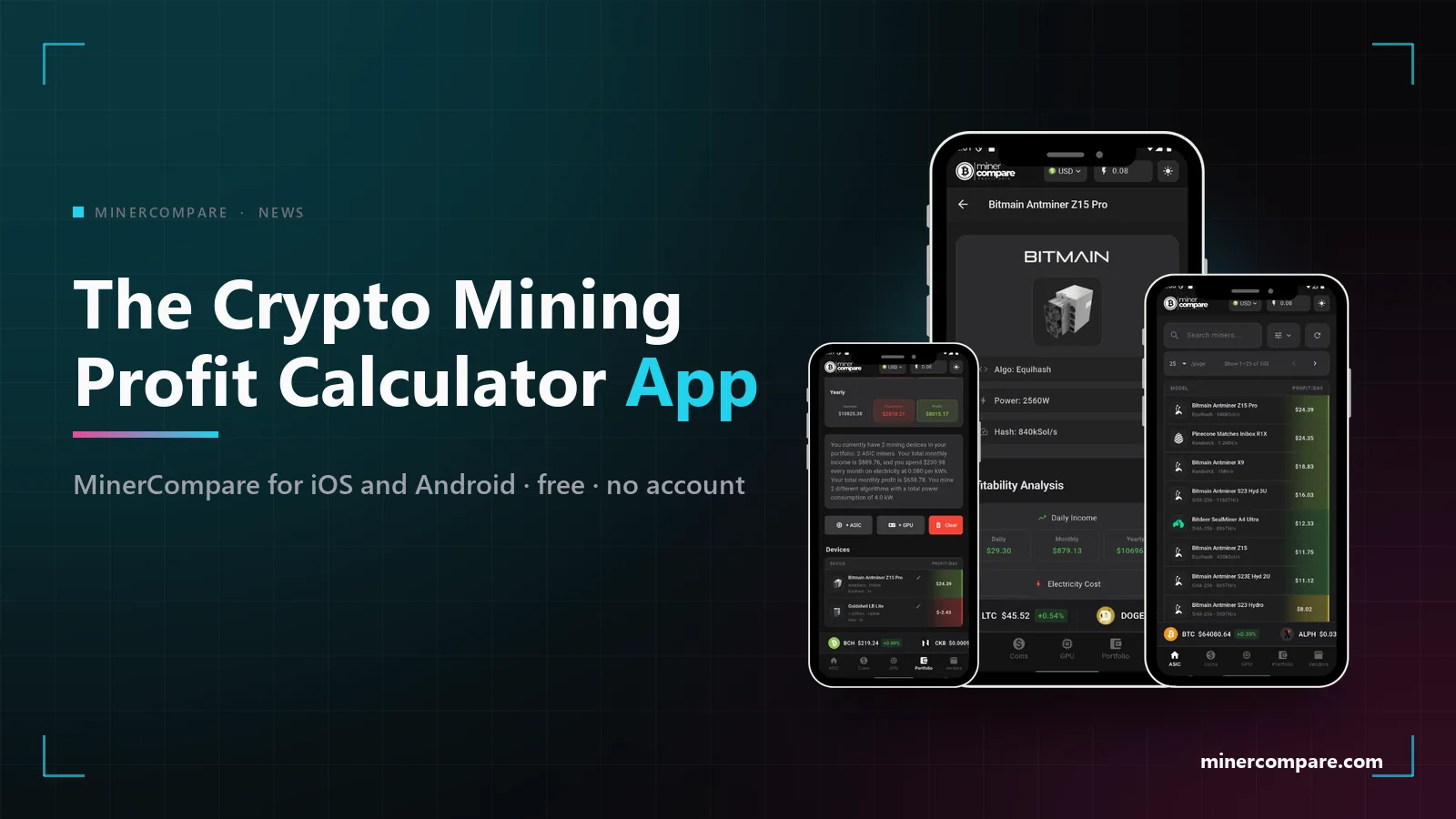
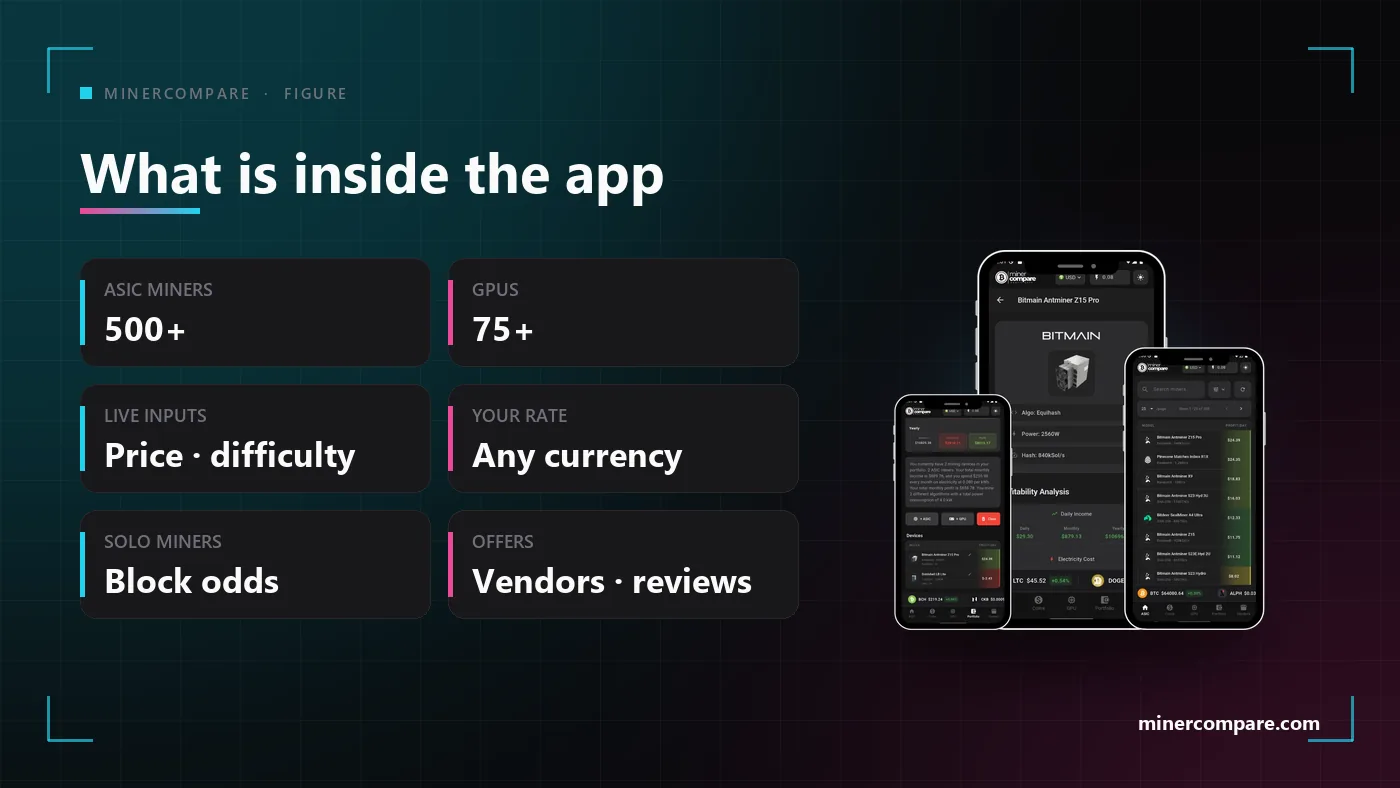
MinerCompare has always been a website you open at a desk to check what a miner earns at your electricity rate. Now the same calculator lives on your phone: a free crypto mining profit app for iOS and Android with every ASIC miner, GPU and coin from the site, live difficulty and prices, your own tariff and currency, a portfolio, vendor offers, and block odds instead of invented profit for solo lottery miners. This post explains what is in it, why it matters and where to get it.
Why a crypto mining app at all
The moment you need a profit number is rarely the moment you are at a desk. It is in a vendor's warehouse with a machine in front of you, in a chat where someone quotes a price, or at the electricity meter when the bill arrives. A crypto profit app that opens in a second and already knows your rate answers the question on the spot, instead of leaving it for later.
A mining profit app is also the natural home for a portfolio. Difficulty and prices move every day, and the people who own hardware want to glance at what the whole rack is doing, not re-enter the machines each time. The app remembers your miners, your rate and your currency, so a check takes one tap.
The same numbers as the website, in your pocket
The app is not a second calculator with its own assumptions. It downloads the same live inputs the website works from, coin prices, network difficulty and block rewards per algorithm, together with the same currency conversion table, and it applies the same thresholds when it colours a row from red to green. A miner that is green on the site at your rate is green in the app, and a miner that is red stays red.
That matters because most mining apps on the stores quote a profit without saying which price, which difficulty or which electricity rate they used. Here every number can be checked against the website, the miner page in the app shows the same per-coin breakdown, and when the site corrects a specification the app receives the correction without a store update. One data pipeline, two screens.
| Feature | Website | App |
|---|---|---|
| Live profit per miner at your electricity rate | ✓ | ✓ |
| ASIC miners, GPUs and coins with per-coin breakdown | ✓ | ✓ |
| Your currency for every figure | ✓ | ✓ |
| Block odds instead of profit for solo miners | ✓ | ✓ |
| Vendor offers, vendor profiles and reviews | ✓ | ✓ |
| Portfolio of your own machines | ✓ | ✓ |
| Catalogue stored on the device | — | ✓ |
Hundreds of miners, your electricity rate
The list is the whole site, not a selection. More than five hundred ASIC miners across every algorithm the site tracks, more than seventy-five graphics cards, and every coin, each with its hashrate, power draw and the coin it earns most on today. You can sort by profit, filter by algorithm and open a machine to see the per-coin table, the specification and the offers.
Set your electricity rate first; everything else follows from it. The tariff you enter is applied to every machine in the list, every portfolio entry and every payback figure, in the currency you selected. A profit column calculated at a default rate is a ranking, not a forecast; once your own rate is in, it becomes your forecast.
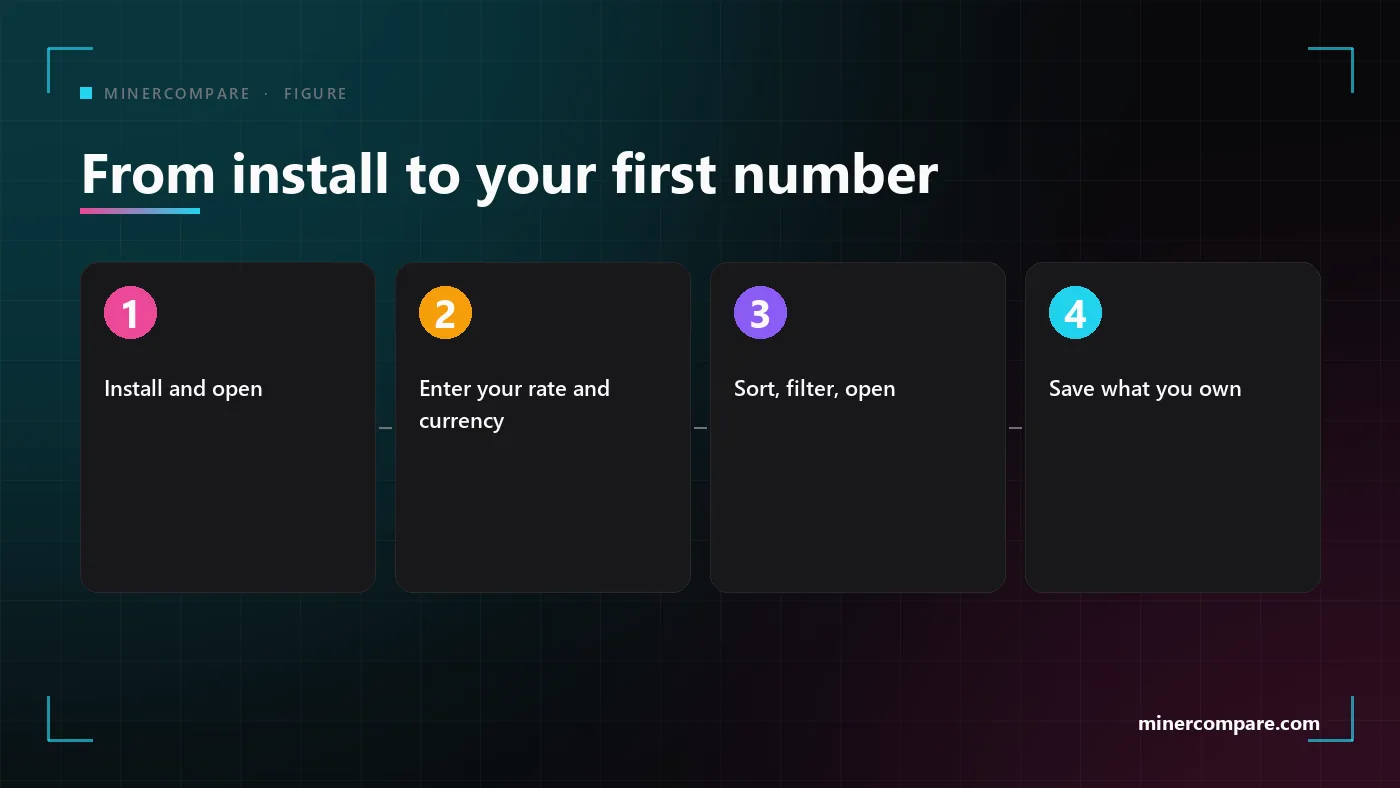
Install and open
No account, no sign-up. The catalogue is on the device, so the miner list appears while the live rates are still downloading.
Enter your rate and currency
Type your price per kilowatt-hour and choose the currency you think in. Both are remembered and applied everywhere.
Sort, filter, open
Rank the ASIC or GPU list by profit, narrow it to an algorithm, and open a machine for the per-coin breakdown and the vendor offers.
Save what you own
Add your machines to the portfolio and check the whole set in one glance whenever difficulty or price moves.
Solo miners show block odds, not fake profit
This is the part most mining apps get wrong. A Bitaxe or a NerdQaxe does not earn a few cents a day; it earns nothing most days and a whole block reward on the day it gets lucky. Printing an expected daily profit for such a machine is mathematically true and practically meaningless, and it tempts people into comparing a lottery ticket with a pool miner as if they were the same product.
The app treats a solo lottery miner as what it is. Instead of a profit figure you see the chance of finding a block per day, per month and per year as one in N, the value of a block today, the network hashrate behind the odds and a rating, computed with the same odds model the website uses. Version 2.3 rebuilt this view around the odds, so a solo machine is recognisable at a glance.
The desk-sized Bitcoin miners that started this category are covered in depth in our solo mining guide, and the full list of lottery machines with their odds lives on the solo mining page. Bitcoin home mining with solo lottery miners
· Solo lottery mining ·
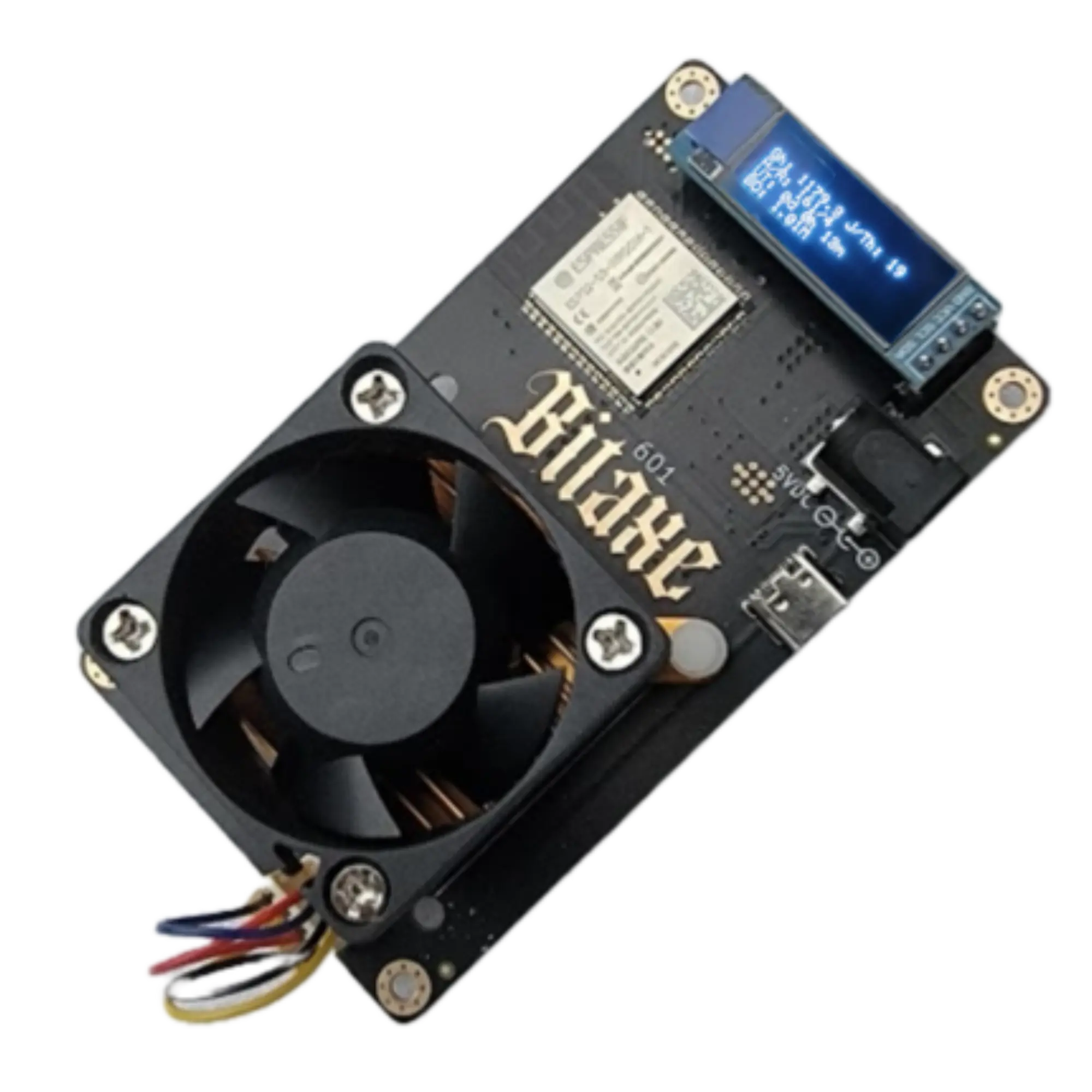 Bitaxe Gamma 601 (1.2TH)
Portfolio, vendor offers and reviews on the go
The portfolio is where the app earns its place on your home screen. Save the machines you run or are considering, and the app shows what the set earns at your rate today. When a coin rallies or difficulty jumps, you see it in the portfolio before you see it in your wallet.
Every miner page in the app carries the marketplace too. The vendor offers the site tracks are listed with price, shipping and condition, each vendor has a profile with its other listings, and the reviews users have left on a machine are shown under it. That is the same data the website shows, which makes the app a useful second opinion when a seller quotes you a number in person.
Free, fast and ready before the network answers
The app is free and asks for no account. There is no subscription, no paid tier and no feature behind a login. The site is funded by the vendors who list on it, not by charging you for a calculator, and the app follows the same rule.
It also starts fast, because the catalogue travels with it. The specifications of the miners and GPUs are stored inside the app, so the lists open immediately and only the live inputs, prices, difficulty and currency rates, are fetched. Machines added to the site after your version shipped are downloaded on top, so the list never falls behind the website.
Download the crypto mining profit app from the store you use.
Everything in the app has a page on the website: the full ASIC table, the GPU list, the coins, the portfolio and the solo mining page, each with the same live numbers. Every ASIC miner with live profit · Every GPU with live profit · Every coin we track · Portfolio · Buying an ASIC Miner
If you are deciding what to put in that portfolio, two of our recent articles are the right next read: one on whether graphics cards are worth running again, and one on why an old Equihash machine currently leads the profit chart. Is GPU mining back in 2026? · Why Zcash miners lead the profit charts
Bottom line
The MinerCompare app is the website's calculator, carried with you. Same miners, same GPUs, same coins, same live inputs, same colour rating and the same honesty about solo miners, with your electricity rate and your currency remembered and a portfolio that answers in one tap. It is free, it needs no account, and it is on both stores today.