English
 German
 Hungarian
 Dutch
Dutch
 Spanish
 French
 Italian
 Czech
Czech
 Polish
 Greek
Greek
The best GPU for mining crypto in 2026 is the one that earns the most on its best coin after your electricity bill, and that is a different card for a miner in Texas than for one in Berlin. This article ranks the graphics cards that lead the GPU calculator today with a live table, explains why they lead (efficiency, memory, algorithm fit and resale value), looks at how GPU mining came back after the Ethereum merge, settles the CPU versus GPU question, and shows you how to read a profitability number so it does not lie to you.
The short answer
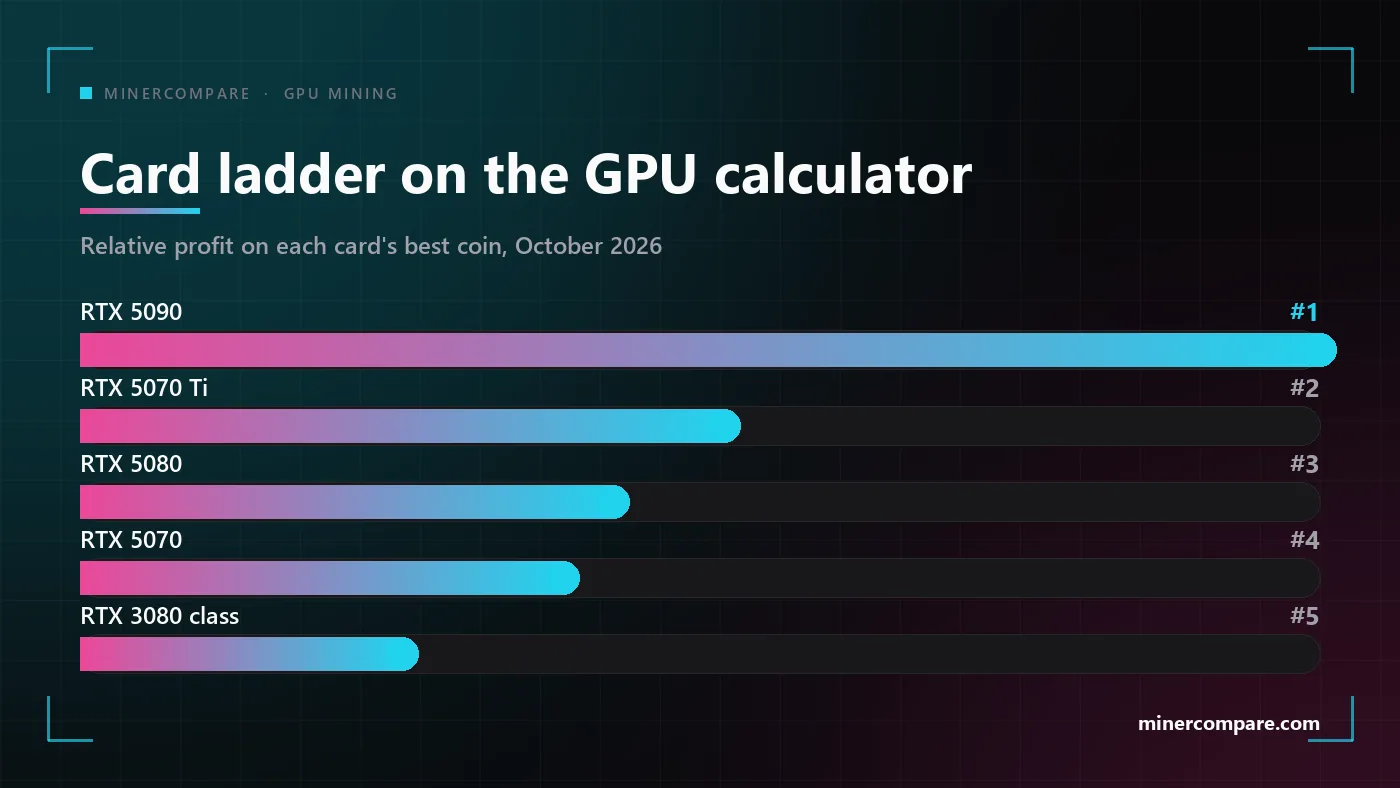
The flagship wins on profit, the mid-range wins on profit per dollar. At the default electricity rate the GeForce RTX 5090 earns the most of any card on the GPU calculator, and it is not close. But it costs more than twice what a GeForce RTX 5070 Ti costs and earns nowhere near twice as much, so a miner spending their own money looks one or two rows further down.
The whole top of the table is one generation. The RTX 50 series fills the first four places, the RTX 30 series the next five, and the RTX 40 series appears only where a specific algorithm suits it. AMD is absent from the top fifteen at the moment, which says more about which coins are paying this quarter than about the cards themselves.
The order below the first place changes every few weeks as coin prices and network hashrates move, so treat the list in the next section as a snapshot that updates itself, not as a verdict.
The best GPUs for mining right now
This table is live. It is computed when the page loads from the same data as the GPU calculator: every card against the best coin for it, at the electricity rate and currency set in the header. Change your rate in the header and the order and the figures follow.
| Rank | Card | Best coin | Power | Profit/day |
|---|---|---|---|---|
| 1 | GeForce RTX 4080 Super | Gemlink Zhash · 185.00 Sol/s | 240 W | $1.32 |
| 2 | GeForce RTX 4090 | Gemlink Zhash · 185.00 Sol/s | 250 W | $1.31 |
| 3 | GeForce RTX 4080 | Gemlink Zhash · 180.00 Sol/s | 230 W | $1.30 |
| 4 | Radeon RX 7900 XTX | Gemlink Zhash · 155.00 Sol/s | 230 W | $1.05 |
| 5 | GeForce RTX 5080 | Gemlink Zhash · 150.00 Sol/s | 220 W | $1.03 |
| 6 | GeForce RTX 4070 Ti Super | Gemlink Zhash · 137.00 Sol/s | 200 W | $0.94 |
| 7 | GeForce RTX 4070 Ti | Gemlink Zhash · 135.00 Sol/s | 200 W | $0.92 |
| 8 | GeForce RTX 4070 Super | Gemlink Zhash · 133.00 Sol/s | 190 W | $0.92 |
| 9 | GeForce RTX 3090 Ti | Gemlink Zhash · 157.00 Sol/s | 330 W | $0.88 |
| 10 | GeForce RTX 3090 | Zclassic EquihashZero · 93.00 Sol/s | 290 W | $0.86 |
Profit is revenue on the best coin for the card minus electricity at the rate shown, before pool fees. The colour of the last column follows the same thresholds as the GPU table. Every GPU ranked at your rate →
Read the third column before the last one. The best coin is not the same for every card, and when most of the table sits on one coin, as it does today, that coin's price moves the whole table at once. A card that leads because it is unusually good at one algorithm is a less stable pick than a card that is second on three.
- GeForce RTX 5090 — the most profitable single card and the highest power draw in the table; the pick when space and a power limit are the constraint, not budget.
- GeForce RTX 5070 Ti — the best balance of price, output and power draw in the current generation; the card most buyers should start with.
- GeForce RTX 5080 — close behind the 5070 Ti on profit at a higher price; worth it only if you also game on it.
- GeForce RTX 5070 — the efficiency pick: the lowest power draw per unit of output among the cards that matter.
- GeForce RTX 3080 — the best of the used market: a previous-generation card that still sits in the top ten and sells for a fraction of a new one.
All NVIDIA and AMD cards, each one on its best coin, with power draw, the algorithm and the daily figure at your electricity price. Filter by brand, sort by profit or release date.
Every GPU ranked at your rateWhat makes a graphics card good for crypto mining
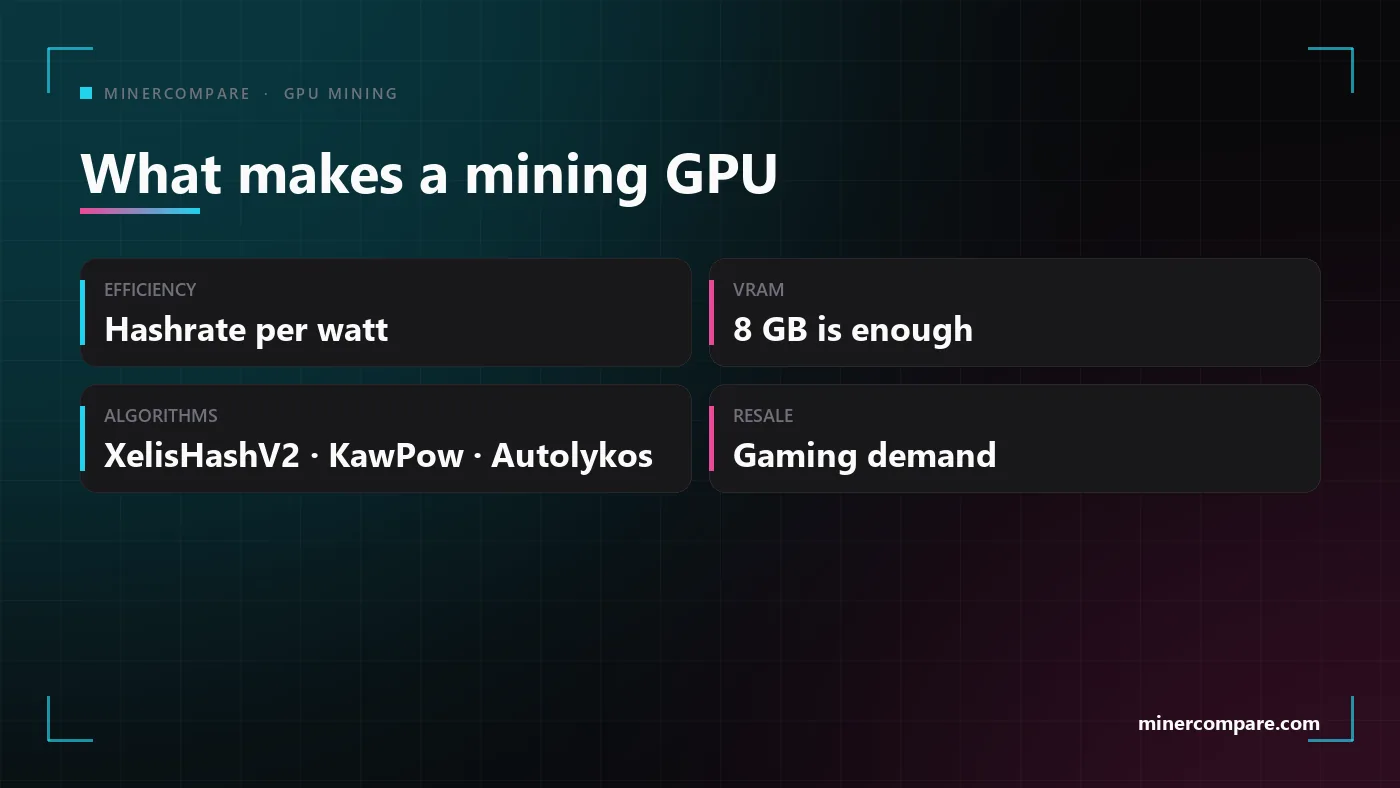
Four things decide where a card lands, and only one of them is on the box. Raw hashrate is what the spec sheets talk about, but the GPU calculator ranks cards by what is left after electricity, which means efficiency matters more than speed, memory matters less than it used to, the algorithms a card is good at decide which coins it can chase, and resale value decides what the experiment really cost you.
Efficiency: hashrate per watt
Efficiency is the number that decides whether a row is green or red. Two cards with the same hashrate on the same coin earn the same revenue, but the one drawing a hundred watts less keeps more of it, and at a European electricity price that difference is the whole profit. The RTX 50 series leads the table because it does more work per watt on the current GPU algorithms, not because it is dramatically faster.
This is also why undervolting matters so much. A card at stock settings is tuned for peak game performance; at a lower core voltage it loses a few percent of hashrate and sheds a third of its power draw, which moves it up the table past cards that are faster on paper.
VRAM: eight gigabytes is enough again
Memory stopped being the bottleneck when Ethereum left. Ethash needed a DAG file that grew past four gigabytes and pushed small cards out of the market; the coins that replaced it, Xelis, Ravencoin, Ergo and the rest, are compute-bound and fit comfortably in eight gigabytes. A card with more memory is a better gaming card and resells for more, but it does not mine faster today.
Algorithm fit: which coins the card can chase
Every card has algorithms it is good at and algorithms it is merely able to run. NVIDIA cards currently lead on XelisHashV2 and KawPow, AMD cards have historically done well on Autolykos and the CryptoNight family, and the RTX 40 series has its own niche on CryptoNightGPU. The GPU page for each card lists every algorithm it runs with hashrate and power, so you can see how many coins a card has to fall back on when its best one drops.
Resale value: the exit is part of the maths
A graphics card is the only mining hardware with a second life. An ASIC that stops paying is scrap; a GPU that stops paying is a gaming card, and a current-generation card loses value slowly. That is why a mid-range card from the newest generation is a lower-risk purchase than a flagship from two generations ago, even when the older card earns the same today.
How GPU mining came back
GPU mining did not die in 2022; it lost its flagship coin and went quiet. Ethereum moved to proof of stake in September 2022 and took with it the one coin that could absorb the world's graphics cards at a profit. The coins that were supposed to be next, Kaspa and Alephium, were taken over by ASICs within two years of launch, and most cards went back to gaming or to AI workloads.
Three things turned it around through 2025 and 2026. First, a lot of GPU hashrate left, and difficulty on the remaining GPU coins fell with it, so every card that stayed earns a bigger share. Second, new ASIC-resistant algorithms launched and their coins found a market, Xelis being the clearest case this year, and the first months of each launch are the most profitable a graphics card ever sees. Third, the small-cap proof-of-work coins rallied with the wider market, and a coin that doubles in price doubles every row on its algorithm.
The payback-in-months era is not back and no current coin can bring it back. What is back is a small, positive, slowly improving income for people who already own a card.
We wrote the longer version of this story, with the forces behind the recovery and who it still makes sense for, in a separate article; this one is about choosing the card. Is GPU mining back in 2026?
Mining with a CPU vs a GPU
The CPU versus GPU question has a clean answer: they mine different coins. A processor is competitive on exactly one family of algorithms, RandomX, which was designed to run well on general-purpose CPUs and badly on everything else. That means Monero, and a handful of forks that borrowed its algorithm. On every other proof-of-work algorithm a graphics card does the same work for a fraction of the electricity.
| Question | CPU | GPU |
|---|---|---|
| Algorithms it wins on | RandomX | Every other GPU algorithm |
| Main coin | Monero (XMR) | Changes every few weeks |
| Hardware you already own | Any modern desktop CPU | Any card from the last five years |
| Typical power draw | 65–150 W | 100–400 W |
| Where to check it | Monero coin page | GPU calculator |
Most home miners should run both. A CPU miner on Monero and a GPU miner on the card's best coin do not compete for the same resources, so the usual setup is both at once in the same PC. The Monero coin page shows what a given CPU hashrate earns at your rate, and the GPU calculator does the same for the card; add the two and you have the machine's daily figure. Monero coin page
How to read GPU mining profitability
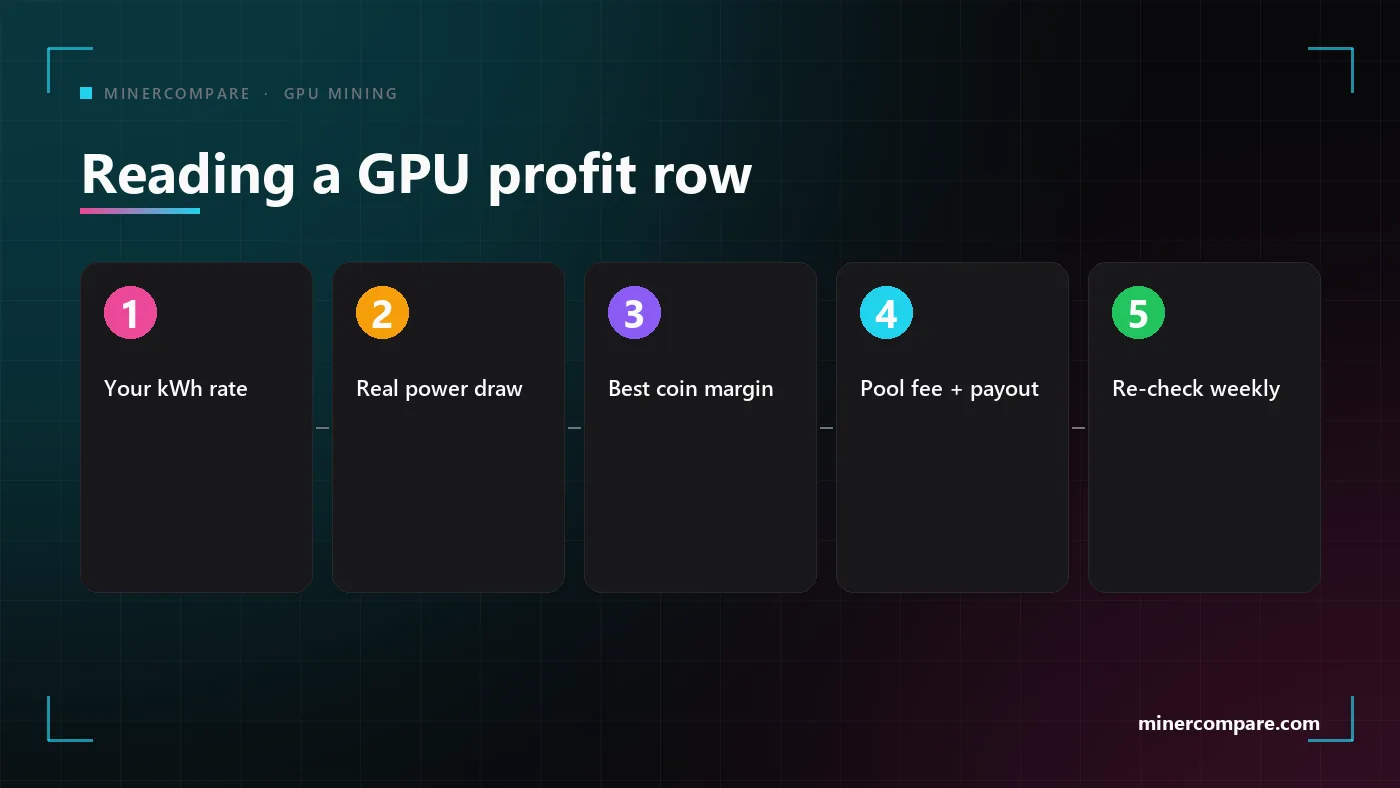
A profit number is five inputs, and the calculator shows you all of them. Revenue is your share of the network hashrate times what the network pays out per day times the coin price. Cost is the card's power draw times twenty-four hours times your electricity price. Subtract the pool fee and you have the row. Each input can be wrong in its own way, and the steps below are the order to check them in.
Enter your real electricity rate
The default rate is nobody's rate. Use the price on your bill including taxes and network charges; half the GPU table changes sign between a cheap and an expensive tariff.
Check the power draw, not the TDP
The calculator uses the measured draw on each algorithm, which is usually well below the card's rated TDP. If you undervolt, your real number is lower still.
Look at the best coin and how far ahead it is
If the second-best coin is close, the card is robust; if the best coin is far ahead of everything else, the row depends on one price.
Subtract the pool fee and mind the payout threshold
A one or two percent fee is small; a minimum payout you will not reach for months is a hundred percent fee. Pick a pool whose threshold you hit in a few weeks.
Re-check weekly and switch coins when the table does
The best coin for a card changes with prices and network hashrate. The miners whose profit goes quietly to zero are the ones who stayed on one coin out of habit.
For the mechanics of pools, payout schemes and fees read our pools guide; for more cards than one, the portfolio adds them up at your rate and tells you when the best coin for a card changes. Crypto Mining Pools Explained · Mining portfolio
What makes GPU mining profitable, and what kills it
The things that make a card profitable are all on your side of the wall socket. You cannot change the coin price or the network hashrate, but you choose the rate you pay, the voltage the card runs at, the coin it mines and the pool it mines on. Get those four right and a modern card is positive at most household rates; get one of them wrong and the same card is a heater.
- Cheap electricity. Below roughly the average household rate every card in the top ten is positive; at twice that, only the most efficient ones are. Night tariffs, solar and a cold room that needs heating all count.
- Undervolting. A third less power for a few percent less hashrate is the best trade in mining, and it is free.
- Following the best coin. A card pointed at last quarter's coin earns a fraction of what the table says it could. Check weekly.
- Hardware you already own. Zero capital cost turns a small daily amount into pure margin. A card bought at retail to mine with needs years of stable prices to pay back.
And the things that kill it are the mirror image. Mining at stock power, staying on one coin, a pool fee stacked on a launcher fee, a payout threshold you never reach, running flat out through a hot summer, and above all buying hardware at a price the coin cannot justify. None of these shows up on a spec sheet, and every one of them shows up on the electricity bill.
If you want the comparison with ASIC hardware, the mirror image of this article is the one about Zcash miners, whose numbers move only with the price of one coin; and the smallest step into ASIC mining is the desk-sized solo miners. Why Zcash miners sit on top of the charts · Bitcoin home mining with solo lottery miners · ASIC miners ranked by profit · All mineable coins
Bottom line
Buy the mid-range card from the newest generation, or mine with the one you have. The GeForce RTX 5070 Ti is the card to look at first if you are buying anyway, the RTX 5070 if electricity is expensive where you live, and the RTX 5090 only if a single slot has to earn as much as possible. A used RTX 3080 class card is the honest budget pick.
Whatever the card, the order of work is the same: set your real rate, point the card at its best coin, undervolt, pick a pool whose payout you will reach, and re-check the table every week. The live ranking above and the GPU calculator will keep doing the arithmetic; the four choices on your side of the socket are the ones that decide whether the number is green.